
Most realtor websites do not fail because the typography is slightly off. They fail because they stop moving. A listing still shows as active after it has sold. The headshot is three haircuts old. The blog's last post mentions a market that no longer exists. Buyers and sellers notice. They may not send you a note about it. They just trust the next agent whose site looks like someone is paying attention.
This is common for a practical reason: you are busy, and most website tools make small updates feel like a project. You wait on a web person. You open a drag-and-drop editor and close it again. Months pass. The fix is not a yearly redesign. It is a simple habit for the few things that should change as your business changes, without waiting on a developer.
If you are still deciding what belongs on the site at all, start with the page-by-page checklist for a real estate agent website. If the deeper problem is that the site lives on a brokerage template you cannot easily edit, move it onto a domain you control.
What a stale realtor website actually looks like
Stale does not always mean ugly. It means the site is out of date with the business you are running right now. Typical signs:
A current listing is missing, or a sold home is still presented as available
The bio describes a former market, a former team, or a former brokerage
The headshot does not match the photo on your listings or your social profiles
Testimonials name a process or a partner you no longer work with
The last blog post is years old, or the blog exists only as a placeholder
Open house times, price improvements, or "coming soon" notes never get taken down
The contact page still has an old phone number or an email you do not check
A visitor does not need industry training to clock this. They compare what they see on your site with what they just saw on a portal, in a text from a friend, or on your Instagram. When those do not match, the site stops helping you.
Why it happens
It is rarely laziness. It is friction.
You close a deal on a Thursday and mean to "update the website this weekend." The weekend is showings. The site is in an editor you use twice a year, or it belongs to a vendor who bills for small changes, or it sits on a brokerage platform where you are not sure what you are allowed to touch. By the time you come back to it, there are six updates waiting, so you put it off again.
General-purpose builders (Wix, WordPress, Squarespace, and others) can produce a fine-looking site. The problem is the cost of a small change: find the right page, adjust a block, hope the layout does not break, and publish. WordPress can also mean plugins, updates, and a developer for work that should take a minute. If every new listing is a mini project, the site will lag behind your business. That is the pattern Launch and List is built to avoid: type what you want changed, and keep the layout intact.
Why freshness matters more than another redesign
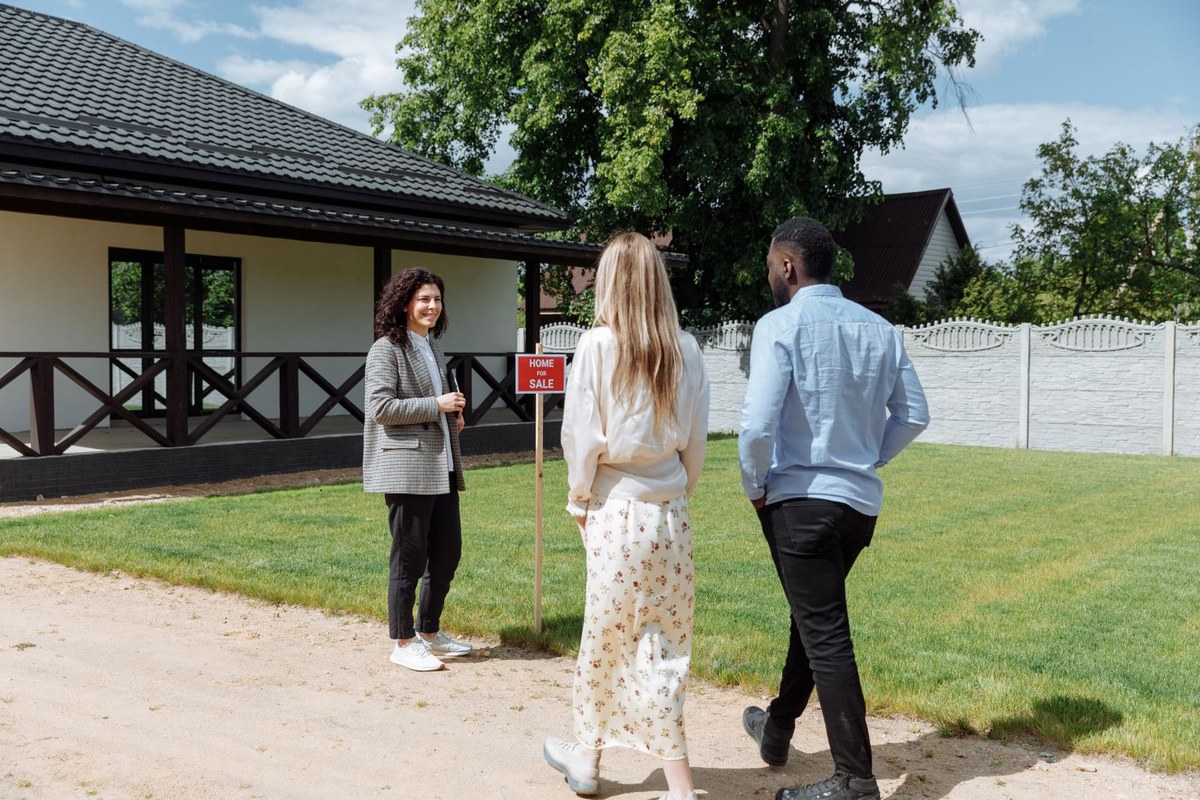
People still hire agents. In NAR's 2025 Profile of Home Buyers and Sellers, 88 percent of buyers purchased through an agent or broker, and 91 percent of sellers sold with an agent. In an April 2025 press release on its 2025 Home Buyers and Sellers Generational Trends report, NAR also said referrals remain the primary way most buyers find an agent. A referred client who looks you up is not hunting for a trendy homepage. They are checking that you are real, local, and active.
A stale site quietly argues the opposite. It suggests you launched something once and walked away. That is a hard impression to overcome in a first conversation, especially if a seller is trusting you to market their home with care. You do not need a statistic about "lost leads" to take this seriously. You can see it the way a client would: would you list with someone whose own site still has last spring's listing sitting in the featured row?
A simple update cadence
Do not wait for a quarterly marketing meeting. Tie updates to events that already happen in your week.
When this happens | Update this on the site |
|---|---|
You take a new listing | Add it the same day, with current photos and the correct status |
Price change, pending, or sold | Change the status and, if it sold, move it into recent sales |
You hold an open house | Add the date and time; remove them when the event is over |
You change brokerages, partners, or your focus | Rewrite the bio, homepage line, and any team or disclosure details |
You get a new headshot | Replace it everywhere it appears, not only on the about page |
You finish a useful consult question | Turn it into a short blog post, if you keep a blog |
Once a month, even if nothing big happened | Click through the site on your phone and fix anything that is off |
The monthly pass should take less than half an hour if you are keeping up as you go. Look at the homepage, the listings, the bio, and the contact details. If something has been sitting there "until I have time," do it now or take it down.
How to update your site without a developer

You should be able to add a listing, swap a photo, or fix a sentence without opening a ticket. If you cannot, the tool is in the way.
A practical bar to hold your platform to:
You can add or mark a listing sold without rebuilding a page
You can change your bio and headshot in one place, or in a couple of clear steps
A small edit cannot quietly break the layout
You do not need a plugin, a staging site, or a designer for routine work
You can do the update from a phone if you are not at a desk
Prompt-style editing is one way to get there: you type "Add my new listing on Oak Street" or "Swap my headshot," and the change shows up without you dragging boxes around. That is how Launch and List is designed to work, including guardrails so the page stays on-brand. During early access, you can use it at no cost, with no credit card.
If you are happy with your current builder, you can still apply the same rule. Make a short personal checklist (new listing, status change, bio, photo) and keep those steps written down so you are never relearning the editor under time pressure.
A 30-minute refresh you can do this week

If the site has been neglected, do not start with a redesign. Do this in one sitting:
Open the site on your phone, not only on a laptop.
Write down every listing status that is wrong. Fix those first.
Replace any headshot that no longer looks like you.
Read the first two paragraphs of your bio out loud. Cut anything that is no longer true.
Check the phone number, email, brokerage name, and any license or office lines.
Unpublish empty pages, expired open house notes, and blog posts you would not show a client.
Add one current thing you are proud of: a new listing, a recent sale, or a short note about the market you actually work in.
When that is done, the site should match the business you could explain at a listing appointment today. Then keep it there with the cadence above, instead of waiting for the next overhaul.
Keep it current as a habit, not a project
A realtor website earns its keep when it stays as current as your Instagram, your texts to clients, and the way you actually work. The core pages stay the same: who you are, where you work, what you have listed or sold, and how to reach you. Those pages are covered in the checklist of what to put on a real estate agent website. The work is to keep them honest.
If your present tool makes that hard, it may be time to move, not to commission a new design you will also stop updating. You can look at agent-made templates and start a site by importing what you already have, then typing the next change when it happens.
FAQs
How often should a real estate agent update their website?
Update it whenever a listing, price, status, photo, or bio detail changes, ideally the same day. Add a short monthly pass to catch anything you missed. You do not need a new homepage every season if the facts on the site stay true.
What should I update first on an outdated realtor website?
Listing statuses, then your photo, then your bio and contact details. Those are the items a visitor uses to judge whether the site can be trusted. Design comes after the facts are right.
Can I update my website without WordPress or a developer?
Yes, if your platform is set up for it. Look for a tool that lets you change listings, photos, and copy yourself without breaking the layout. If a simple change requires a ticket, the process, not your schedule, is the bottleneck.
Is an old blog worse than no blog?
Usually, yes. A post from several years ago, left on the homepage or in the main menu, tells people the site is not maintained. Unpublish what you would not stand behind, or move the blog out of sight until you are ready to write again.