
A real estate agent website does not need dozens of pages, a slogan that could belong to anyone, or a lead form on every scroll. It needs a clear picture of who you are, where you work, proof that you actually close, and an easy way to reach you. When someone is referred to you, your site is often the page they use to confirm the recommendation before they call.
In the National Association of Realtors 2025 Profile of Home Buyers and Sellers, 88 percent of buyers purchased through an agent or broker, and buyers searched a median of 10 weeks. In its April 2025 press release on the 2025 Home Buyers and Sellers Generational Trends report, NAR also said referrals remain the primary way most buyers find their agent. Your site still has to hold up when someone Googles your name after a friend says, "You should call her."
Use this as a page-by-page checklist. Build the pages below first. Leave the extras for later. If you already have a site that feels abandoned, pair this list with how to keep a realtor website current. If you are leaving a brokerage template, see how to move onto your own domain.
Start with the pages that do the most work
Most agent sites only need a short set of pages to look professional and useful:
A homepage that states who you are and where you work
An about page with a real bio and a current headshot
A way to show featured or recent listings, including homes you have sold
A short section or page for the areas you actually serve
A team page, if clients will meet more than one person
A blog, if you will keep it current
A contact page with your phone, email, and brokerage details
That is enough to launch. Add neighborhood guides and longer resources once the core is live and easy to update.
Homepage

The homepage should answer three questions in the first screen, especially on a phone: who you are, where you work, and what to do next. Write a specific headline. "Real estate in Walnut Creek and Concord" is more useful than "Your trusted real estate partner." Put a current, well-lit headshot near the top. Then show a handful of listings or recent sales, not a buried gallery at the bottom of a long scroll.
A strong homepage usually includes:
Your name and the markets you serve, in plain language
One sentence about who you help (first-time buyers, move-up sellers, a housing type you actually specialize in)
Three to six current or recent properties, clearly labeled as listed, pending, or sold
A short proof point you can stand behind, such as a recent sale, not a vague claim about being number one
A simple next step: call, email, or a short form
Your brokerage name and any required disclosures
Skip the autoplay video, the stock skyline, and a welcome message that could be copied onto any site in the country. If you use a template, pick one that already puts listings and your face up front. Launch and List's templates made for agents, such as Modern, Estate, Mid-Century, Noir, Riviera, and Bright, are built around that layout instead of a generic small-business homepage.
About and bio
The about page is where a referral gets confirmed. Write like a person. Name the cities you work in, say how you work with clients, and include one detail that is actually yours: a local school, a housing type you know well, or a process you use on listing day. A tight bio beats a long resume of awards no visitor can verify.
Include:
A current headshot (the same one you use on the homepage and on your listings, if possible)
The markets you serve, written as real place names
Who you help, in one or two sentences
Your background, kept relevant to the work
Your brokerage, license information if your office requires it, and a way to get in touch
Avoid filler ("I am passionate about real estate and customer service") and avoid leftover copy from a previous market or a template bio that still mentions another city. If your business has changed, update this page the same week. A bio that still describes last year's focus is one of the fastest ways a site starts to feel stale.
Featured listings and solds
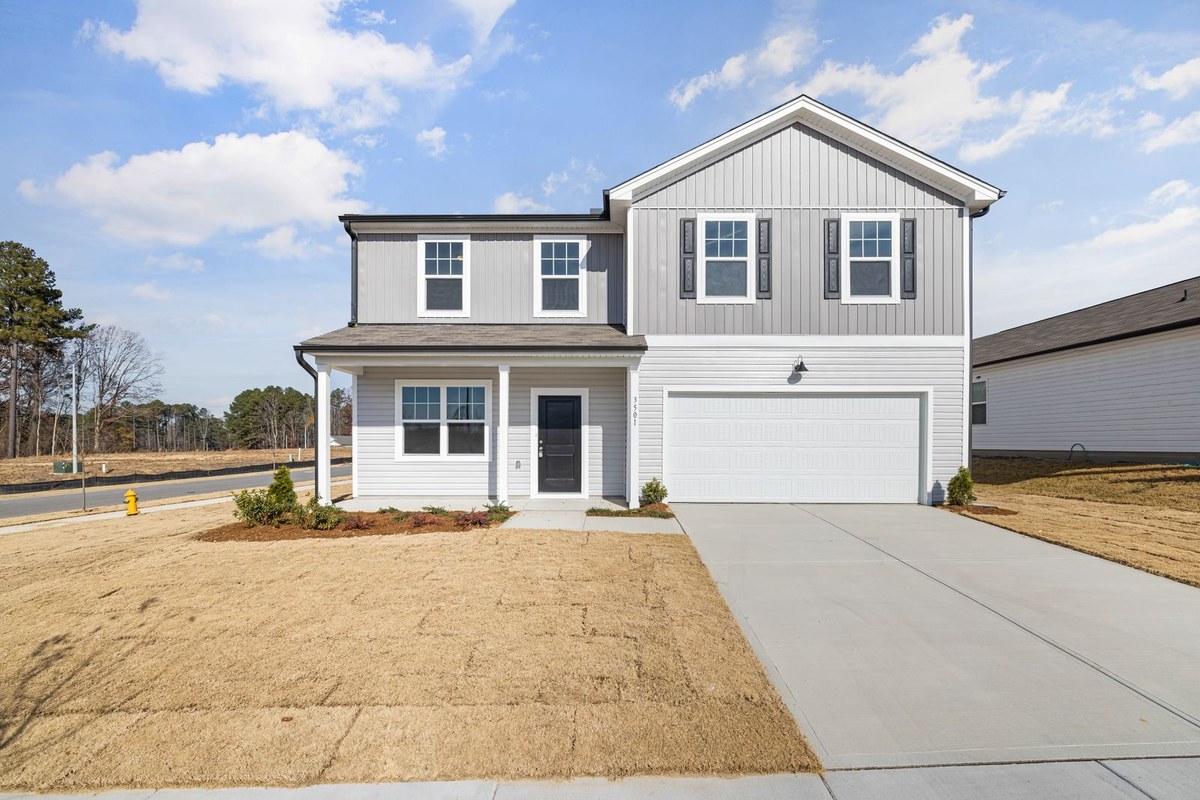
Visitors come to an agent site to see your work. Show current listings with clear photos, the address or a clear label if the address must be requested, and the status. Show solds as sold. A property that closed months ago but still reads like an active listing is worse than showing fewer homes.
You do not need a full live MLS search on day one to have a useful site. A well-chosen set of featured listings and recent sales is enough to prove you are active, especially for sellers comparing how you present a home.
When a listing goes live, changes price, goes pending, or sells, the site should change the same day if you can. That habit matters more than adding another page. The details are in why realtor websites go stale, and how to keep yours current.
Areas you serve
A short "where I work" section on the homepage can be enough at launch: the two or three cities or neighborhoods you actually know. If you add dedicated area pages, write them yourself. Cover what a newcomer would ask: what the area is known for, the kinds of homes typical there, and who it tends to fit. A few honest paragraphs and a few of your sales will beat a page of widgets with no original sentences. Do not publish neighborhood pages you have not written. Add them when you have something real to say.
Team page, if you have a team

If a client might work with a partner, an assistant, or a buyer's agent, give them a team page. Include a photo, a short bio, a role in plain language, and how the work is divided. "Jordan handles showings and first-draft offers; I handle pricing and listing strategy" is more useful than a grid of first names. Solo agents can skip this page. Do not invent a team to fill a template slot.
Blog
A blog is worth having if you will use it: local guides, answers to questions you already get on consults, and updates that would otherwise disappear in a social feed. You can launch without one and add it when you have two or three posts ready. An unused blog with a years-old timestamp is a credibility problem. When you do publish, write for buyers and sellers in your market, not for other agents.
Contact
Make it easy. Put a phone number, an email address, and a short form on the contact page, and repeat a way to reach you in the header or footer. Promise a reply time only if it is true. Include the brokerage name and any required office or license details. Do not hide contact behind a long questionnaire. A few fields (name, email, phone, a short note) are enough.
What you can skip at the start
A smaller, finished site is better than a large site with half-built pages. You can wait on:
A shop, merch, or "preferred vendor" directory you will not maintain
A library of generic downloadable guides you did not write
A dozen neighborhood pages with no original copy
A blog you do not have time to update yet
Complex lead magnets and drip funnels, until the basics are solid
You can also wait on a full redesign if the real problem is outdated listings and an old bio. Fix the content first.
Page or element | At launch | Notes |
|---|---|---|
Homepage | Yes | Name, market, photo, listings or sales, a clear next step |
About / bio | Yes | Written in your voice, current, specific to your market |
Featured listings and solds | Yes | Status must be accurate |
Areas you serve | Yes, even if short | Start with the places you actually work |
Contact | Yes | Phone, email, form, brokerage details |
Team page | Only if clients will meet more than one person | Roles and photos, not just names |
Blog | Optional at launch | Add it when you can keep it current |
Extra neighborhood or resource pages | Later | Write them one at a time |
How to put this together without a months-long project
You should not need a developer to launch a complete version of this list. If you already have a site, bring over the useful pieces (headshot, bio, listings) instead of starting from a blank page. If you are still on a brokerage template and want the site on a domain you control, move off the brokerage site onto your own domain and take those assets with you.
Launch and List is built around that sequence: sign up, import what you already have, pick an agent template, then type the changes you want. During early access, it is free and does not require a credit card. If you want a site that matches this checklist, create your site and start with the pages above.
FAQs
How many pages does a realtor website need?
A working agent site can launch with a homepage, an about page, listings or sales, a short note about the areas you serve, and a contact page. Add a team page or a blog when they have a real job to do.
Do I need a blog on my real estate website?
Only if you will publish. A short, useful blog can support your local presence over time. An abandoned blog does the opposite. It is reasonable to launch without one and add it when you have posts ready.
Do I need live listing search on my first site?
Not necessarily. Many agents start with a clear showcase of their own listings and solds. That is often what a seller wants to see anyway. A wider search tool can come later. Do not delay a professional site just to wait on a more complex setup.
What should I do first if my current site is messy?
Update your photo, bio, and listing statuses, then remove or finish any empty pages. A clean set of core pages will do more for you than a redesign that still shows last year's sales as if they were current.